Turn any content into a graded Google Forms quiz powered by ChatGPT
Generate quiz questions and answers from a topic, PDF, YouTube video, Google Doc, Sheet, or image, then add them to your form in one click. No manual typing.
No manual question writing. Set up the add-on, pick a source, generate, and add it straight to your form.
Set up the form & add-on
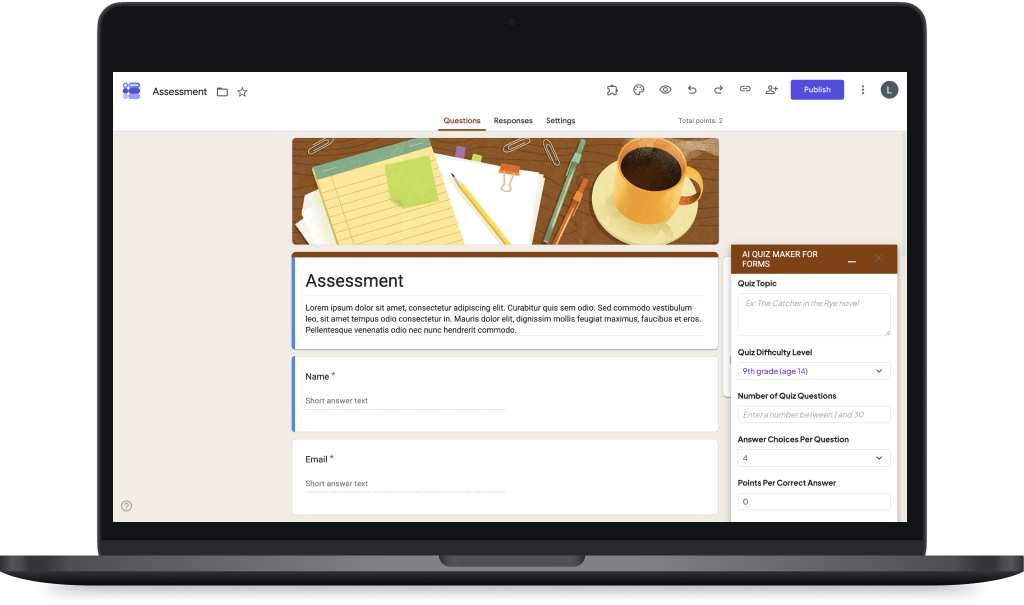
Installthe add-on in your Google Workspace, open any Google Form, click the Add-ons icon, and select AI Quiz Maker.
Select your content source
Choose how you want to generate the quiz:
Topic — a single line of text
YouTube — paste a video link
Google Doc, Sheet, Slide or Image— pick a file from Drive
Generate your quiz
Topic:enter it, set question type and answer count — add your own correct answer if you'd like.
YouTube:the add-on generates questions from the video's audio (AI transcription available).
Google Doc, Sheet, Slide or Image:the add-on analyzes the file's content and generates a quiz from it.
Add to your form
Click "Add to Form" and every question and answer you generated is added to your Google Form instantly.
Control difficulty and points, not just question count
Set a quiz difficulty level and assign points per correct answer — useful for real assessments, not just casual quizzes. Choose multiple-choice, checkbox, or dropdown questions.
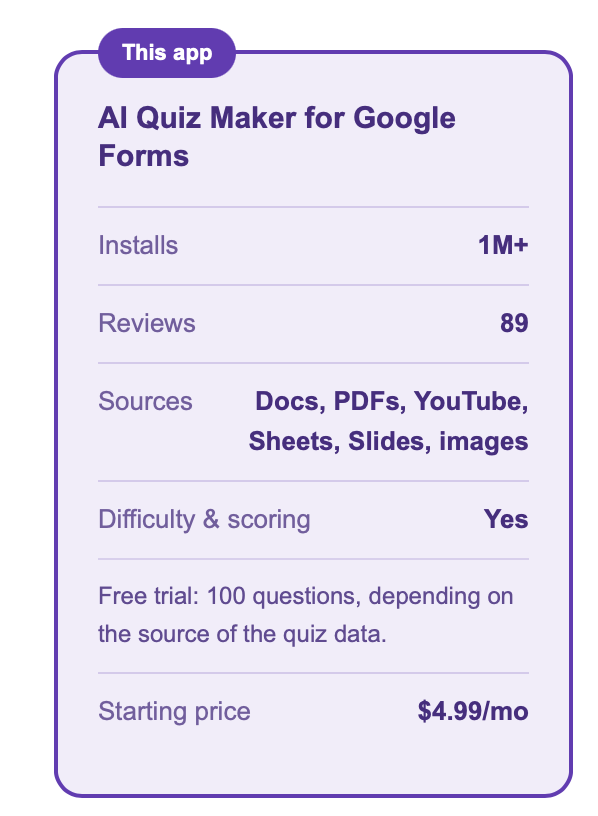
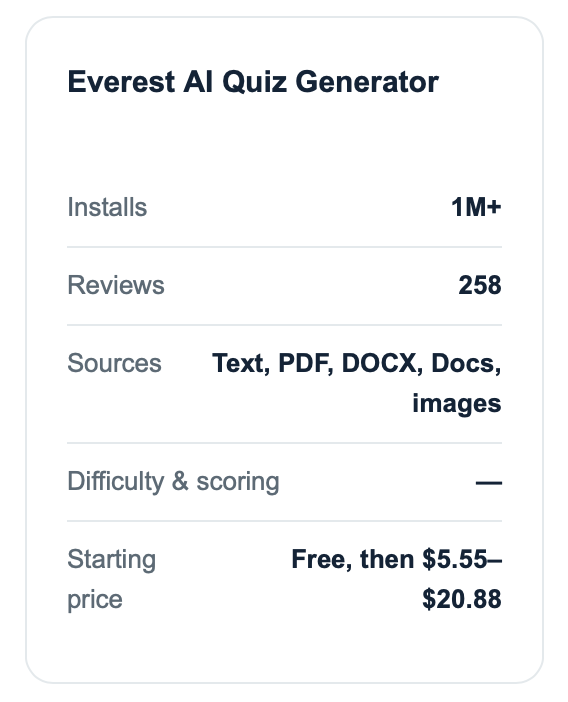
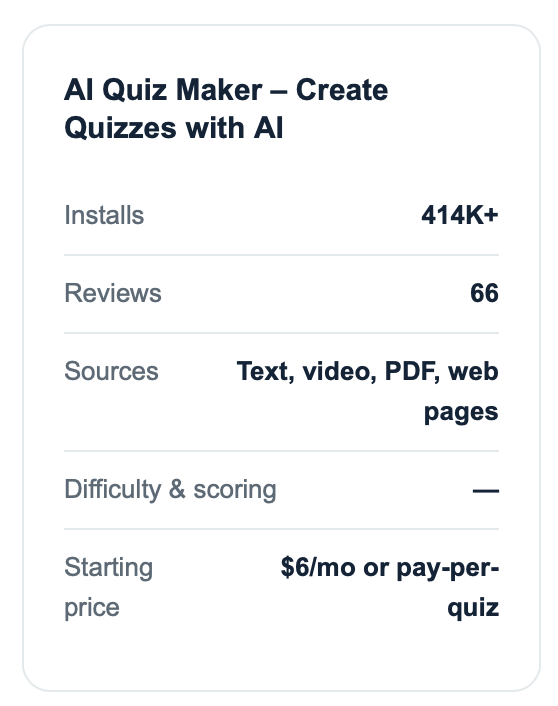
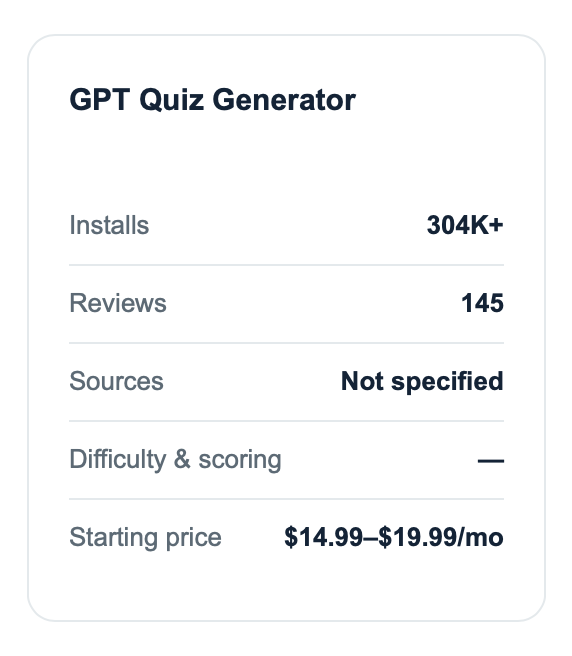
AI Quiz Maker vs. other AI quiz generators vs. other other tools
Based on public Google Workspace Marketplace listings.
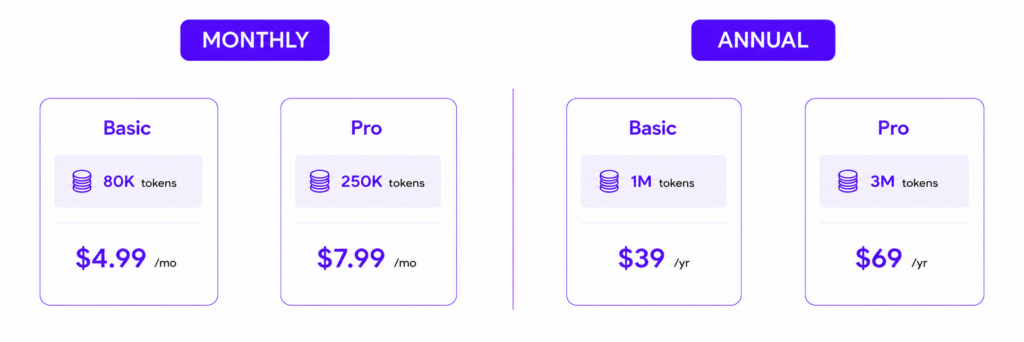
Pricing
AI Quiz Maker for Google Forms™ | Quiz Generator for free for 1 day!
Get access to core features with no charges and no credit card required.
Free plan includes up to 20,000 tokens for generating quizzes and questions.
Token usage depends on the document, number of generated questions and answers, and the source type (Google Docs™, YouTube™, PDF, etc).
Yes, this add-on is designed for Google Workspace.
Can I specify the correct answers?
Yes, you can provide your own correct answers.
Can I choose the type of questions to generate?
Absolutely, you can select the question type during the generation process.
Can this add-on generate multiple answers?
Yes, you can specify the number of answers to be generated.
Can I use this add-on for any type of form?
Yes, it's ideal for any form requiring questions and answers.
Is this add-on free?
It's free to use with paid premium features
Don't wait any longer
Revolutionize your form creation process with AI Quiz Maker for Google Forms™ | Quiz Generator. Install the add-on today and experience the ease of automated question and answer generation.